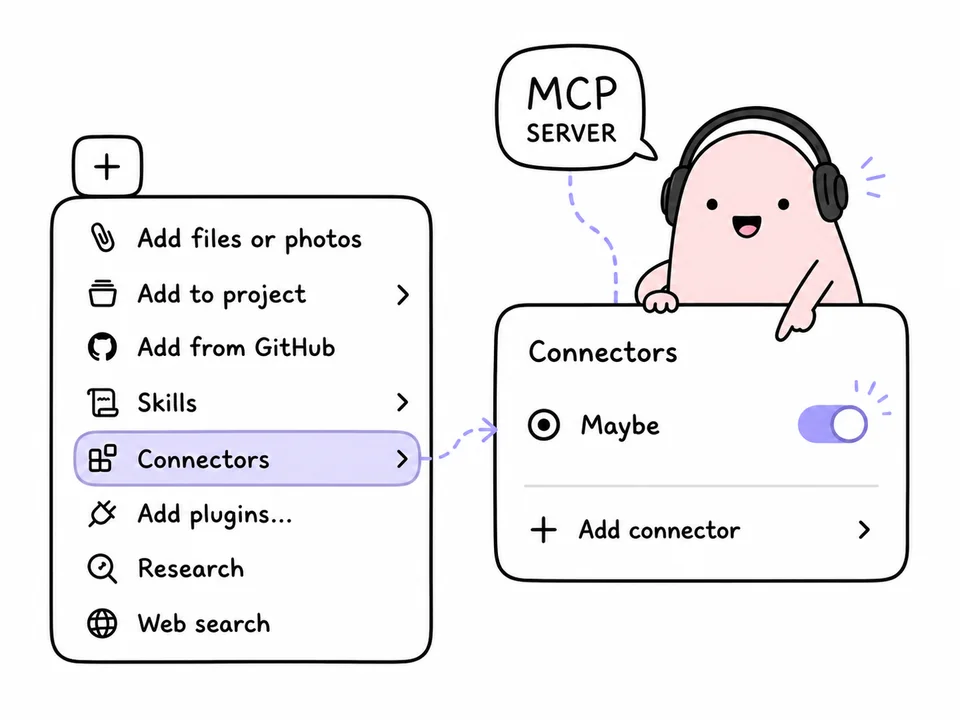
Maybe is now on Android. It's a native app built from scratch for Android, with the same FVP method as on iPhone: you dump everything into the Plan, pick tasks by what you actually want to do, and work through them as a short In Progress chain. The app is free, runs on Android 8.0 and newer, and installs as an APK from maybe.do/android. It's not on Google Play.
TL;DR
- Native app for Android 8.0+, free; download the APK from maybe.do/android once, and it updates itself after that.
- The full FVP method: Plan, pairwise picking, the In Progress chain, Later, finishing a session.
- Android-only touches: home screen widgets, evening cleanup while the app is closed, sign-in without Google services.
- One account with iPhone, Mac and the web version; Maybe Pro is a single purchase for every device.
What Maybe is and how it differs from a regular to-do list
If this is your first time seeing Maybe: it's a task list with no deadlines, priorities or tags. A typical task manager asks you to decide upfront what matters most, and a couple of weeks later it becomes a wall of tasks you'd rather not look at. Maybe follows Mark Forster's FVP method: you pick tasks by what you want to do right now, and the app turns those choices into an order for the day.
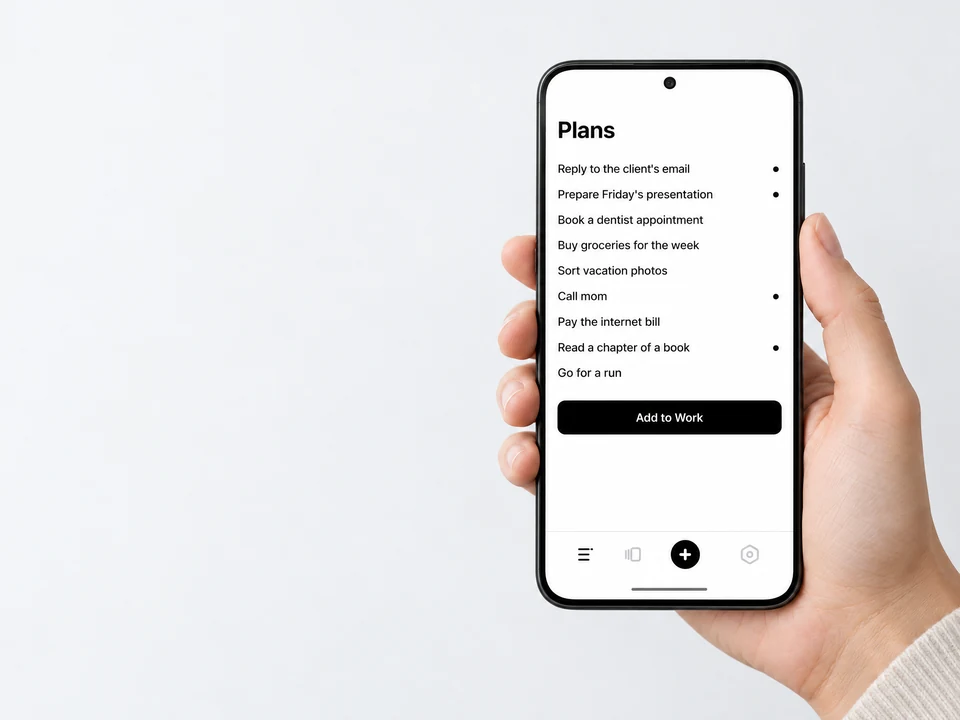
Here's what that looks like. Your Plan has nine items. The first one is marked, and for each line after it you ask yourself: do I want this more than the last one I marked? You want Friday's presentation more than the email, the call to mom more than the presentation, the book chapter more than the call. “Add to Work” moves those four tasks to the In Progress tab, and you start with the one you picked last.
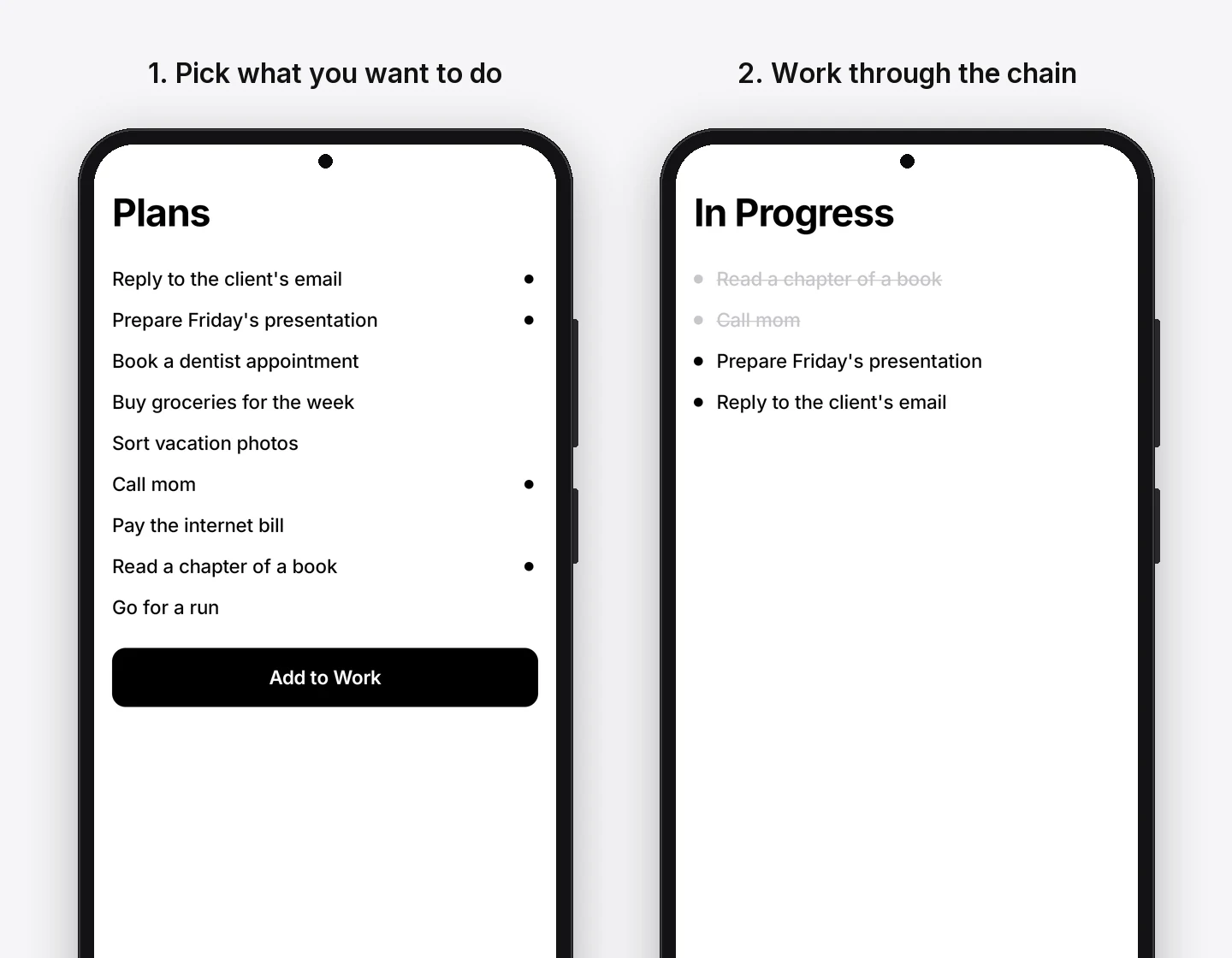
You can't reorder the Plan by hand, on purpose. Dragging tasks around is the same priority-setting the method is designed to get you away from.
What Maybe can do on Android
The Android version has everything the iPhone app has except Apple Watch. Here's what's free and what comes with Maybe Pro.
The interface matches the iPhone app down to the details: the same gestures, springy animations, haptics, light and dark themes. It's available in English, Russian and Spanish.
Widgets, notifications and evening cleanup
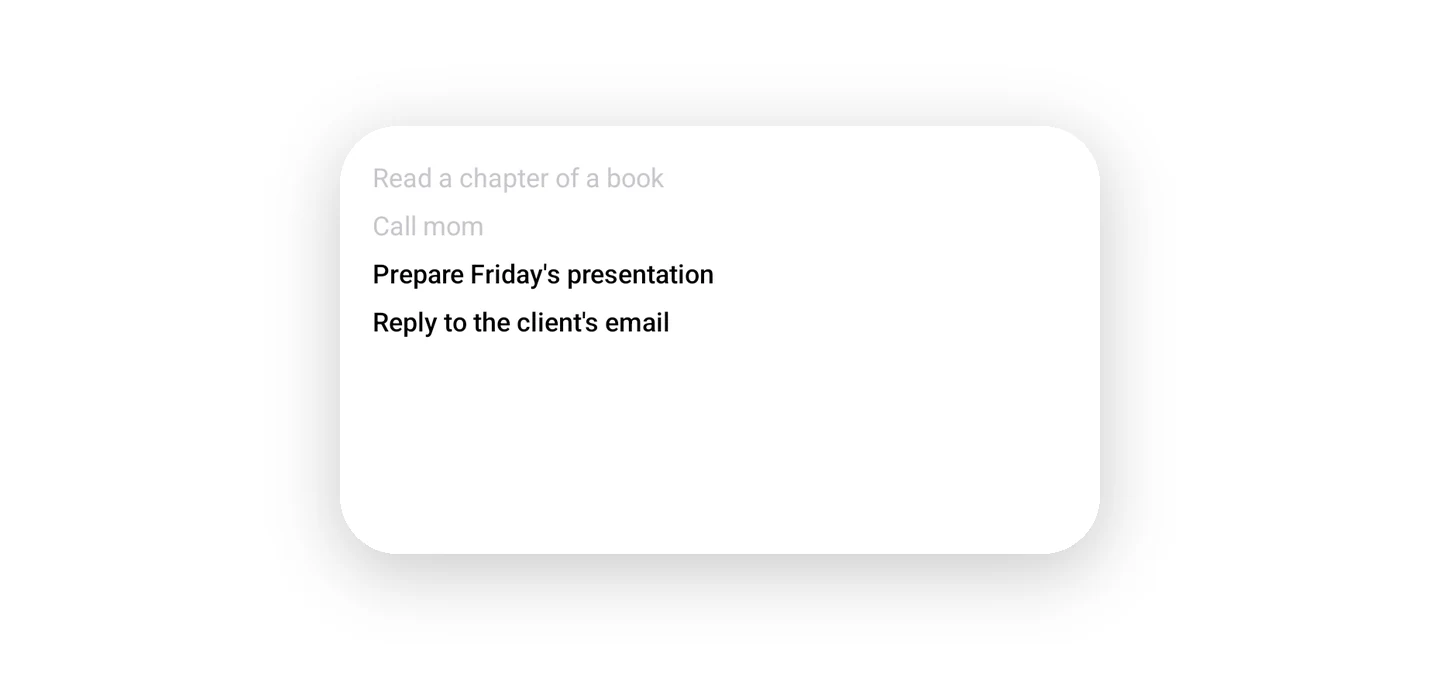
The In Progress widget shows today's chain: finished tasks in grey, the next ones in black. It's resizable, and in the widget settings you can hide finished tasks, show titles on two lines and add calendar events. Tapping the widget opens the In Progress tab.
There are four kinds of notifications: end of session, the Sunday Later review, a heads-up when your Plan gets overloaded, and the evening cleanup summary. At the time you set, evening cleanup clears finished tasks out of the chain, even with the app closed. In the morning you open Maybe to a clean slate.
Your data lives on the phone, so everything works offline. When you're back online, changes go to the cloud, and the app briefly tells you how many tasks it sent. Check off a task on Android and a second later it's checked on your iPhone, your Mac and in the web version.
Why Maybe isn't on Google Play and how to install it
Maybe is distributed directly from the website, not through Google Play, so the app doesn't depend on Google services. Sign-in (with Google or Apple) happens in the browser, and Maybe works even on phones without Google Play Services.
How to install Maybe on Android
- Open maybe.do/android on your phone and tap “Download APK”.
- Open the downloaded file. Android will ask whether to allow installs from your browser. Allow it once.
- Tap “Install”. If Google Play Protect says it hasn't seen the app before, tap “More details” → “Install without scanning”.
- Open Maybe and sign in: your tasks come down from the cloud. Without an account, everything stays on the phone only.
You don't need to update by hand. When a new version is out, Maybe shows a banner at the top with an “Update” button: the app downloads the file, checks its checksum and opens the system install dialog. Your tasks and settings stay put.
Is it safe to install an APK from the website
The APK is signed with Maybe's key. Android only installs an update over an app with the same signature, so nobody can slip a different build over yours. Download the file only from maybe.do: the download page lists its SHA-256 checksum, so you can verify the file.
How much Maybe costs on Android and how it differs from iPhone
The free plan is enough to live by the method: the full FVP flow, up to 5 In Progress tasks at once, and 7 days of history. Maybe Pro is one purchase for all your devices: if you already have Pro on iPhone or the web, it unlocks on Android once you sign in to the same account. On Android you can pay on the website or right in the app.
| Android | iPhone | |
|---|---|---|
| Where to get it | APK from maybe.do | App Store |
| FVP method, Plan, In Progress, Later | Yes | Yes |
| Home screen widgets | In Progress and Add Task | Yes, plus lock screen |
| Watch | Wear OS not supported | Apple Watch |
| Paying for Pro | Website or in the app | App Store or website |
| Sync | One account with iPhone, Mac and web | One account with Android, Mac and web |
If you want Maybe on your computer too, there's a Mac app, and on Windows and Linux the web version at app.maybe.do works in any browser.
Frequently Asked Questions
How do I install Maybe on Android without Google Play?
Open maybe.do/android on your phone, tap “Download APK” and open the file. Android will ask once to allow installs from your browser, then tap “Install”. After that, Maybe offers updates itself with an “Update” banner inside the app.
Does Maybe work on phones without Google services, like Huawei?
Yes. The app doesn't depend on Google Play Services: signing in with Google or Apple happens in the browser, and sync goes through Maybe's cloud. If the phone has no built-in speech recognition, dictation runs through Maybe's server, which is a Pro feature.
Does Maybe on Android sync with iPhone?
Yes. Android, iPhone, Mac and the web version share one account and one task list. A change on one device shows up on the others in about a second, and offline the app works locally and sends changes later.
How much does Maybe for Android cost?
The app is free: the full FVP method, up to 5 In Progress tasks and 7 days of history. Maybe Pro adds the In Progress widget, AI input, calendars and unlimited tasks; it's one purchase that works on every device, and on Android you can pay on the website or in the app.
Which Android version does Maybe need?
Android 8.0 or newer. Widgets and notifications work on every supported version; on Android 13 and newer the app asks once for notification permission.
Put Maybe on your phone, empty your head into the Plan and pick three or four tasks you actually want to do. The In Progress widget on your home screen will keep showing where you decided to start.