Most task apps have thought deeply about how you add tasks. How you prioritize them. How you plan your day. But what happens the moment you complete one — that part has been almost completely ignored. Yet that moment does a lot to determine whether you end the day feeling in flow, or with a quiet anxiety: did I actually get enough done?
Why the completion moment matters
When you check off a task, your brain is waiting for a signal. Something changed. That mattered. I handled it.
If there's no signal — the task just vanishes and you're already looking at the next one — your brain gets nothing. No closure. No sense of progress. Just an endless list you keep scrolling through.
That's why I built not one way to clear completed tasks in Maybe, but three. Not because I couldn't pick the right one — but because the right one is different for everyone. It depends on how you work, what you need to feel at the end of the day, and how much control you want over that moment.
Instant mode: a clean screen in real time
Complete a task — it disappears. Immediately, without delay. Your list always shows only what still needs to be done.
This is the most radical of the three modes, and it has its audience. It works for people who move fast and see a completed task on screen as visual noise. If you're the kind of person who needs a clean desk — literally and metaphorically — this mode gives you clarity at every moment of your work.
It's worth understanding the tradeoff, though. At the end of a productive day, your list will simply be empty. No confirmation — no "here's what you accomplished," no dopamine payoff. If seeing your results matters to you, this mode can make a great day feel like nothing happened.
Session mode: you decide when to draw the line
This is Maybe's default mode — and for good reason.
You work, check off tasks, and they stay on screen. Crossed out, but visible — a growing record of what you've accomplished. Everything archives at once only when you choose to end the session.
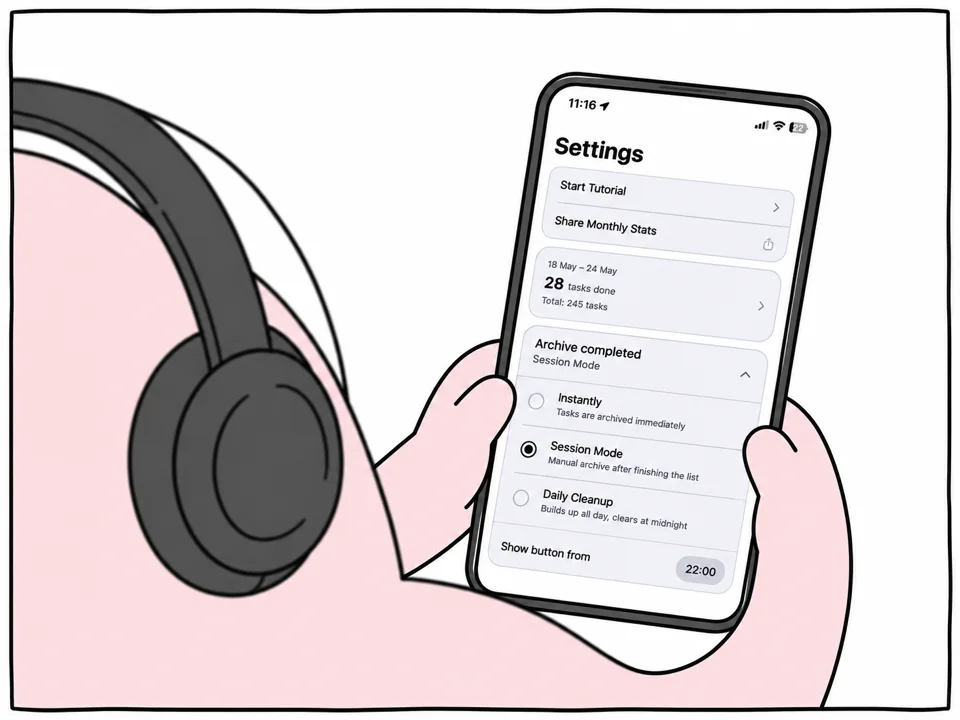
The end-session button appears in two situations: when you've closed all tasks in the current chain, or when the time you've set arrives (22:00 by default). The moment you tap it, your phone responds with a short haptic and the sound of a successful Apple Pay transaction. That's not a random choice — your brain gets a clear, physically felt signal: session closed.
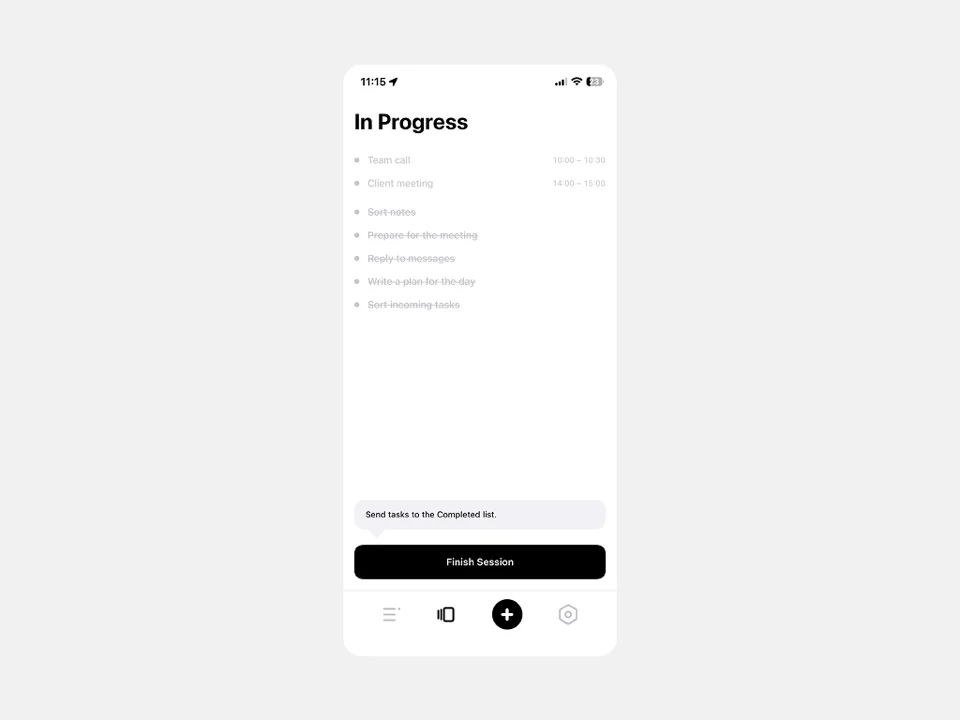
Session mode works well if you structure your day in blocks. A morning sprint, a break, an afternoon block, an evening one. At the end of each block you see what you accomplished and decide: keep going, or close it out. That sense of control — not automation deciding for you, but you drawing the line yourself — is something a lot of people find genuinely valuable.
Evening clear mode: the full picture of your day
The logic here is different. You just work — and nothing gets cleared. Completed tasks accumulate all day, building into a list of everything you've done since morning. At a set time — 22:00 by default, but adjustable — everything archives automatically. No action required on your part.
It sounds similar to Session mode at first, but the difference is fundamental. In Session mode, you control the moment of completion. Here, you hand that control to the system and just work. By evening, you have the full picture in front of you: here is everything I did today.
This mode is especially powerful on the days when you feel like you got nothing done. When there was no single big finished project — just a flow of small tasks, emails, calls, reviews, meetings. You open the list at eight in the evening and see: twelve items. No, the day wasn't wasted. Here's the proof.
Evening Clear also works well if the idea of "ending a session" as a separate action feels like unnecessary mental overhead. Sometimes you just want to work — and know the system will take care of the rest.
How to find your mode
No quiz needed. Three simple questions.
Do completed tasks on screen bother you — do you want to see only what's left to do? That's Instant.
Do you work in blocks and want to decide for yourself when to close a sprint or wrap up the day? That's Session.
Is it important to see everything you did by the end of the day — and you'd rather not manage it manually? That's Evening Clear.
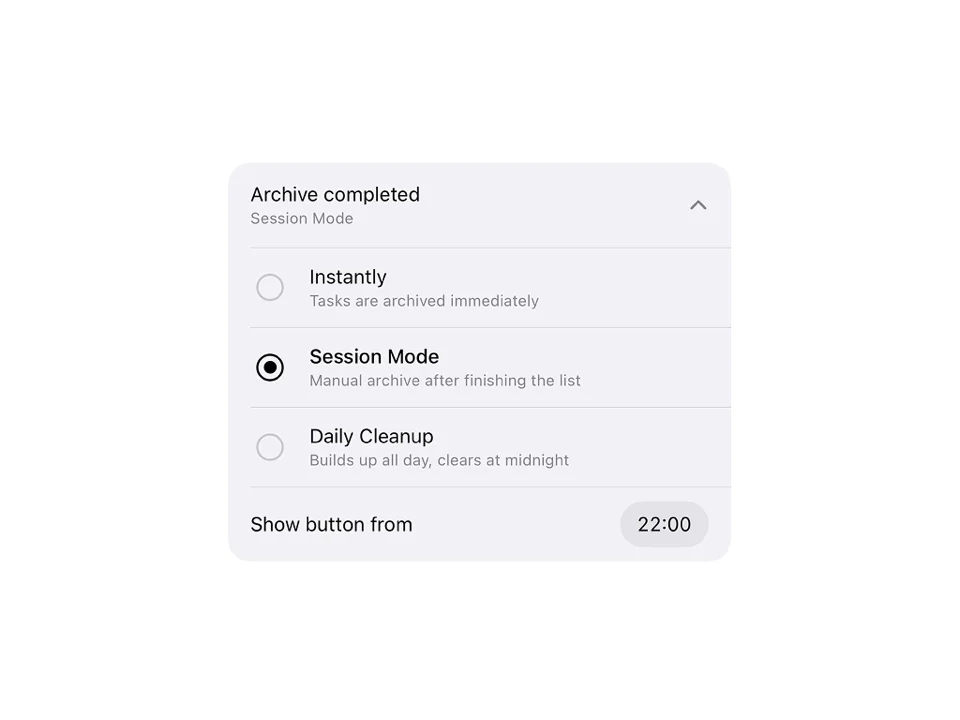
My advice: don't choose by guesswork. Try each mode for two or three days. You'll know which one is right not by reasoning it out, but by how calm you feel at the end of your workday. It's a surprisingly physical difference.
Frequently Asked Questions
Where are the completion mode settings in Maybe?
The completion mode settings are in the app's Settings section. There you can choose one of the three modes — Instant, Session, or Evening Clear — and set the time for automatic archiving.
Can I switch modes mid-week?
Yes, you can switch modes at any time in settings. The change takes effect immediately — which makes it easy to try different options during your first week and find the one that fits.
Where do completed tasks go after archiving?
Completed tasks aren't deleted — they're archived. You can find them in your history and return to them at any time. The archive helps you see how much you've accomplished over a week or month.
Does the completion mode affect how task chains work?
The mode only controls when completed tasks are removed from your screen. The chain logic — task order, connections between tasks — works the same in all three modes.
Try all three modes and find the one that leaves you feeling settled at the end of the day. It's one of those settings that seems minor — until you try it and realize it was quietly shaping how work felt all along.